Your own AI workbench, on your own computer.
Run models, build prompt agents and search your own documents. openFoundry works with the runtimes you already have, and your data stays on your machine.Free and open source · Apple silicon · macOS 13.5+ · 57 MB · v0.1.0No account. No telemetry. No cloud bill.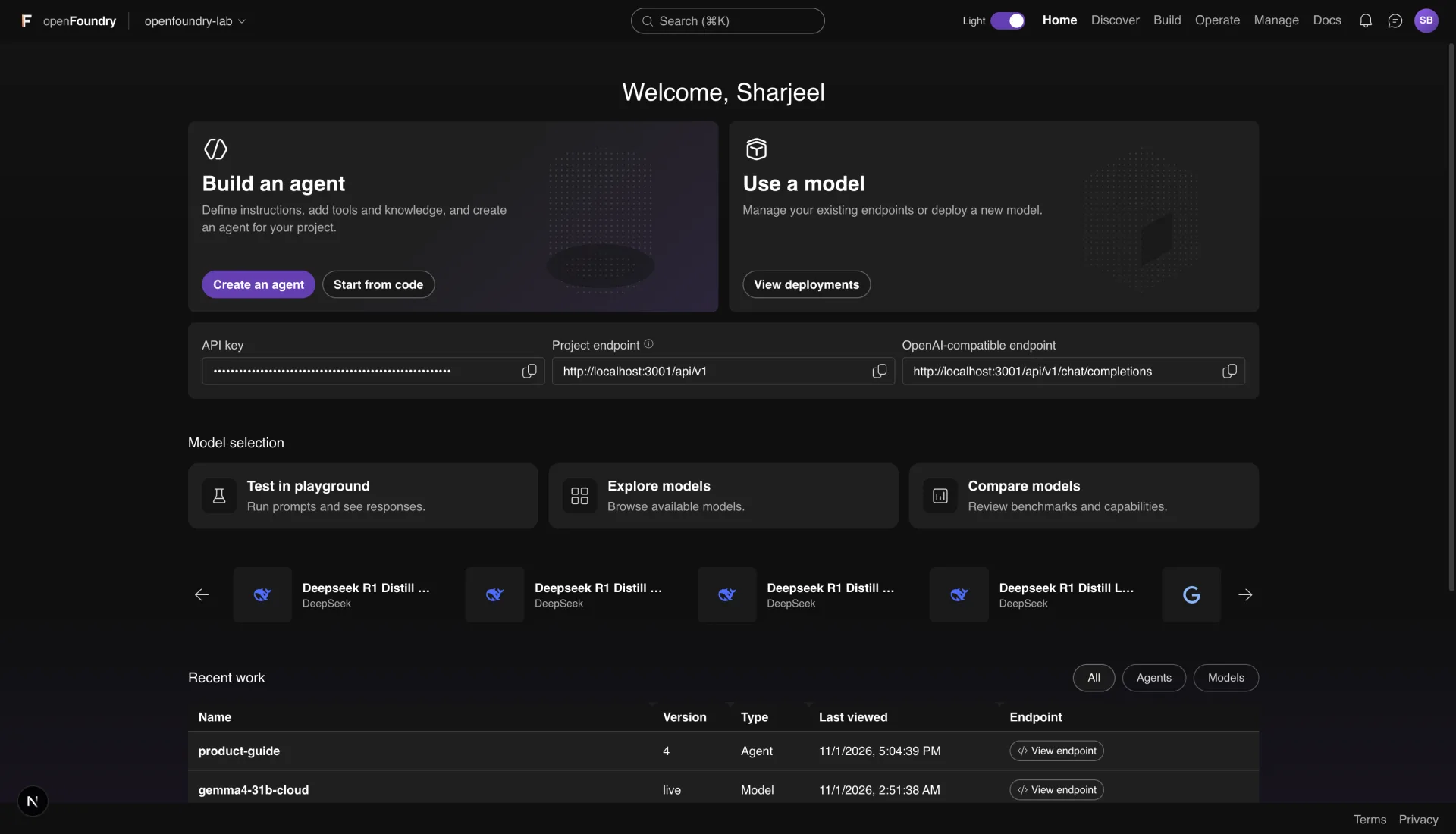
Everything you need, on one machine
Discover a model, run it, test it and put it behind an API. The workspace keeps the pieces together.Find and run models
Search the Hugging Face catalog and the Foundry Local catalog. Downloads run in the background with progress and logs.Test in the playground
Chat with any deployment, change the system prompt, and read the trace for every turn.Build prompt agents
Write instructions, attach tools, knowledge, memory and a guardrail. Test the agent on the same screen.Ground answers with Foundry IQ
Upload documents, build a local index, and let agents cite the chunks they used.Deploy a real endpoint
Every deployment gets an OpenAI-compatible endpoint, its own key, rate limits and token counts.Keep it local
No account and no telemetry. Requests leave your computer only when you point them at a remote provider.A look around
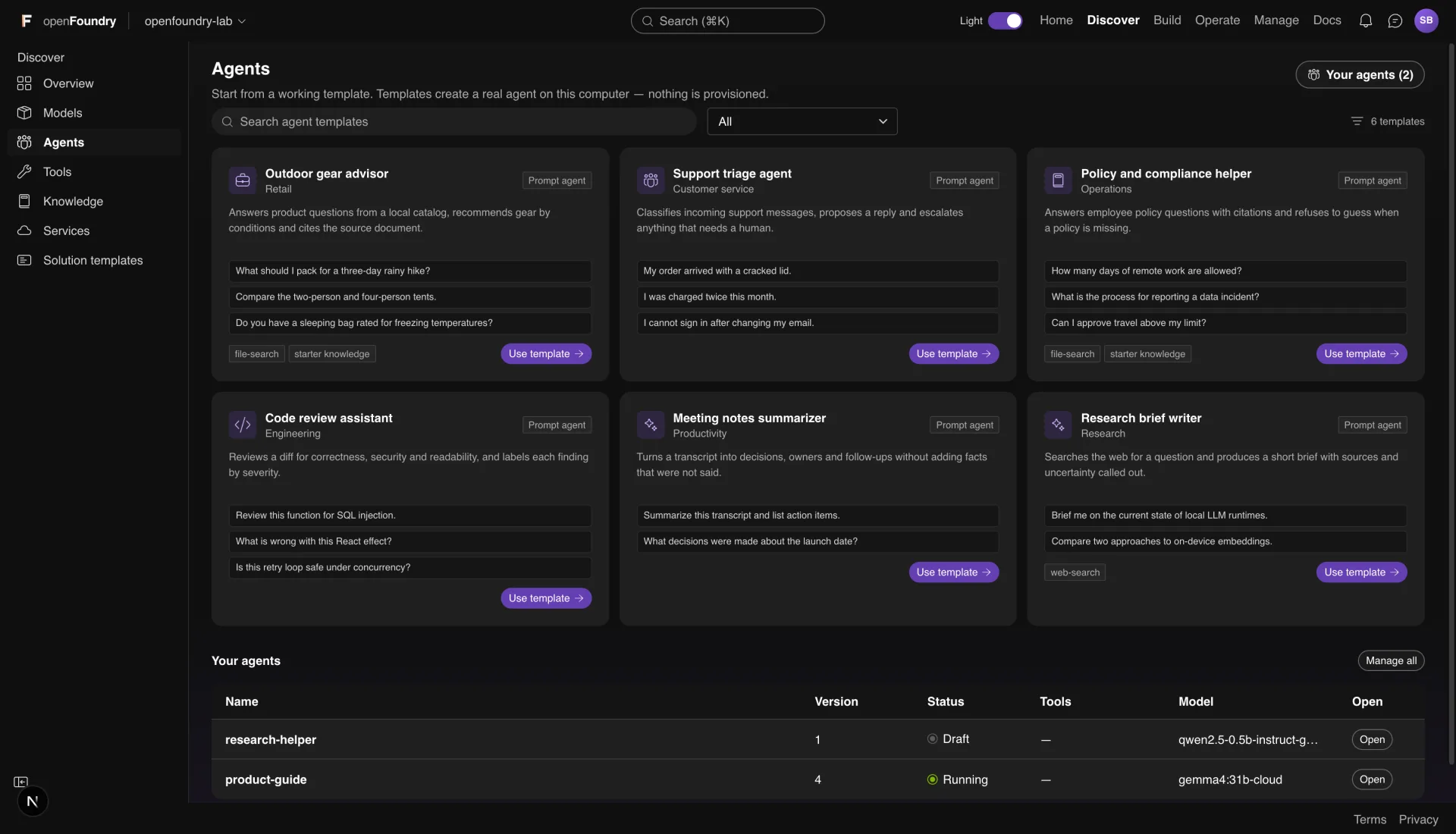
Five screens from a real workspace. Use the arrows or the dots to move through them.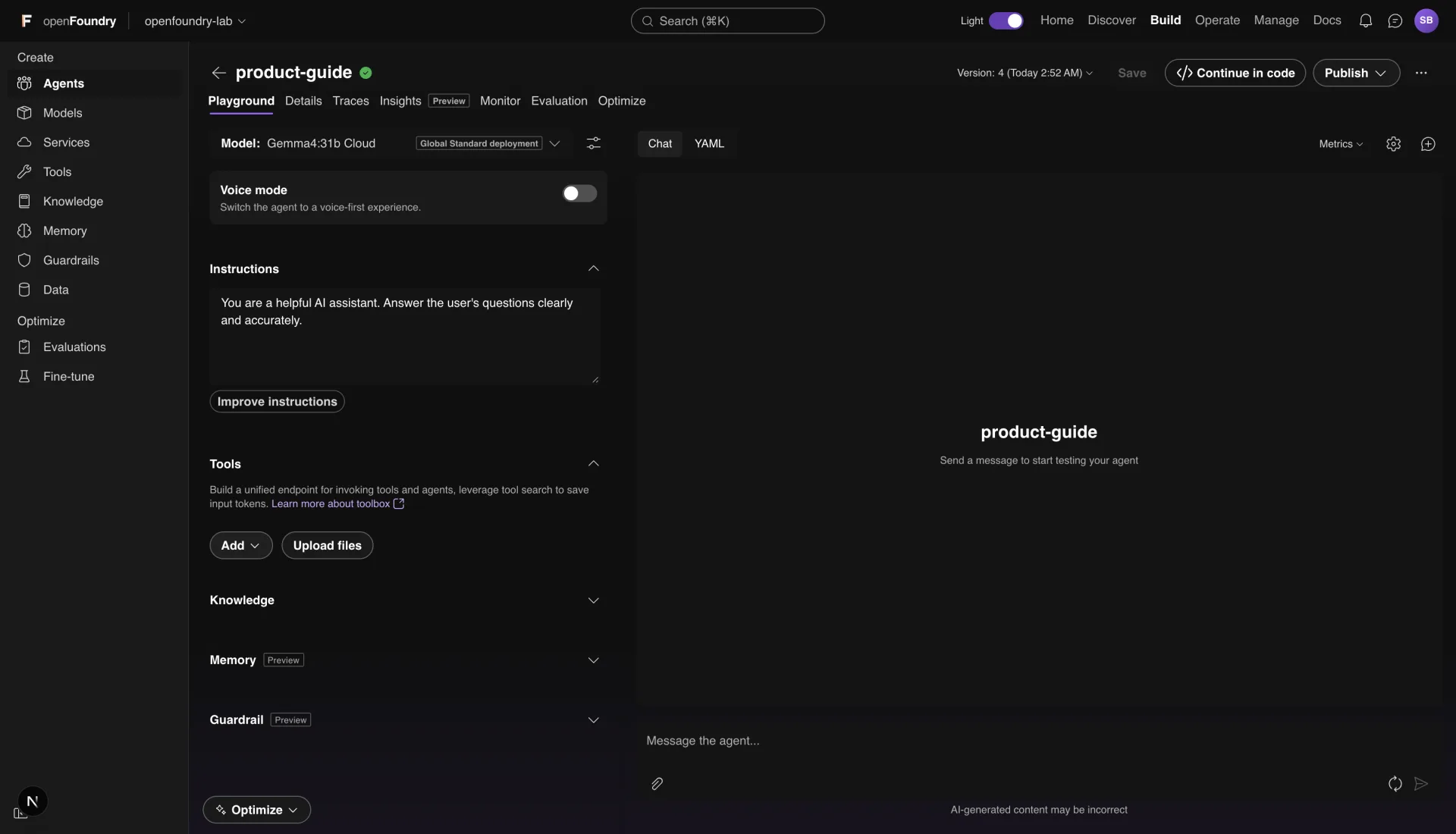
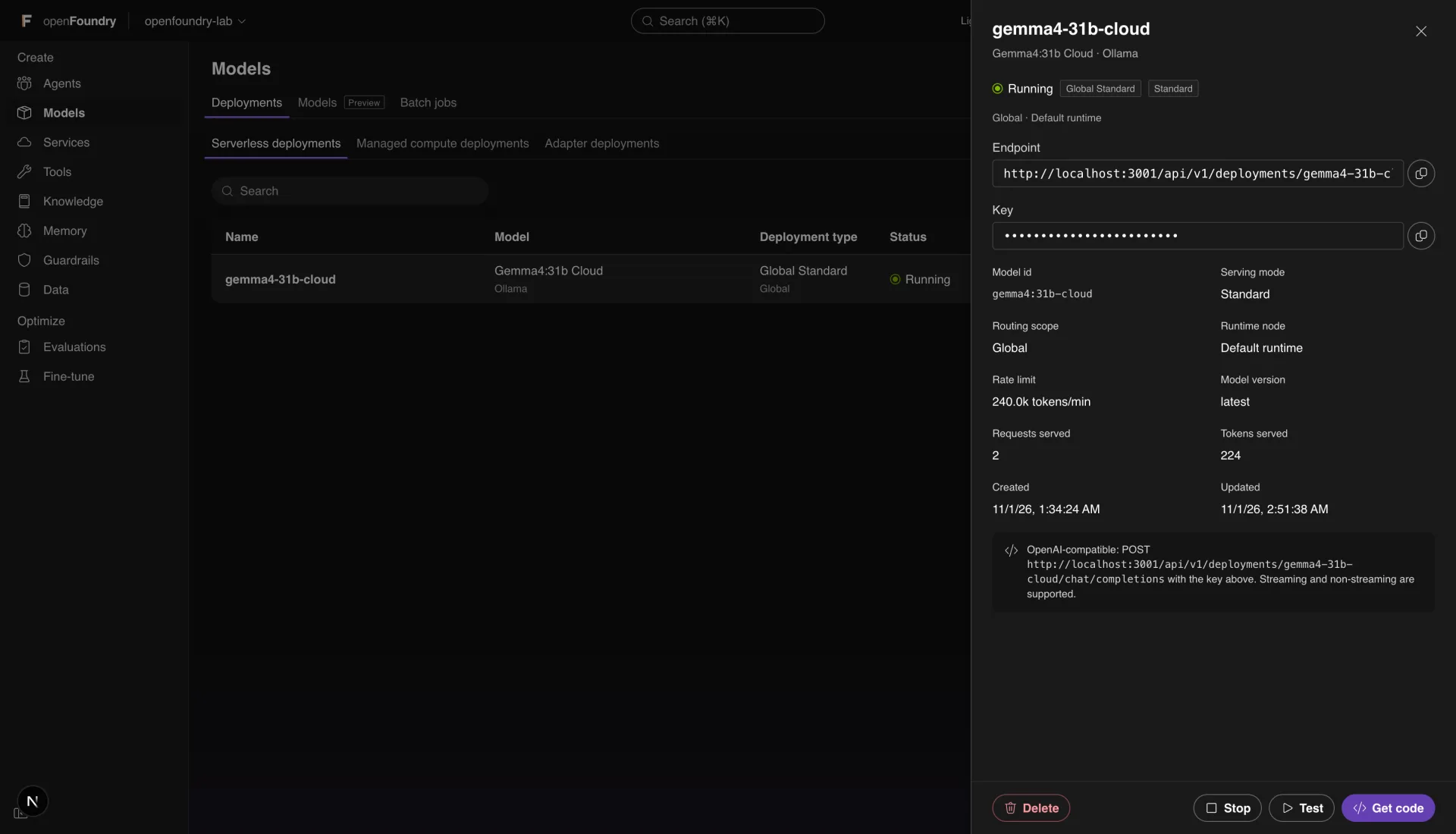
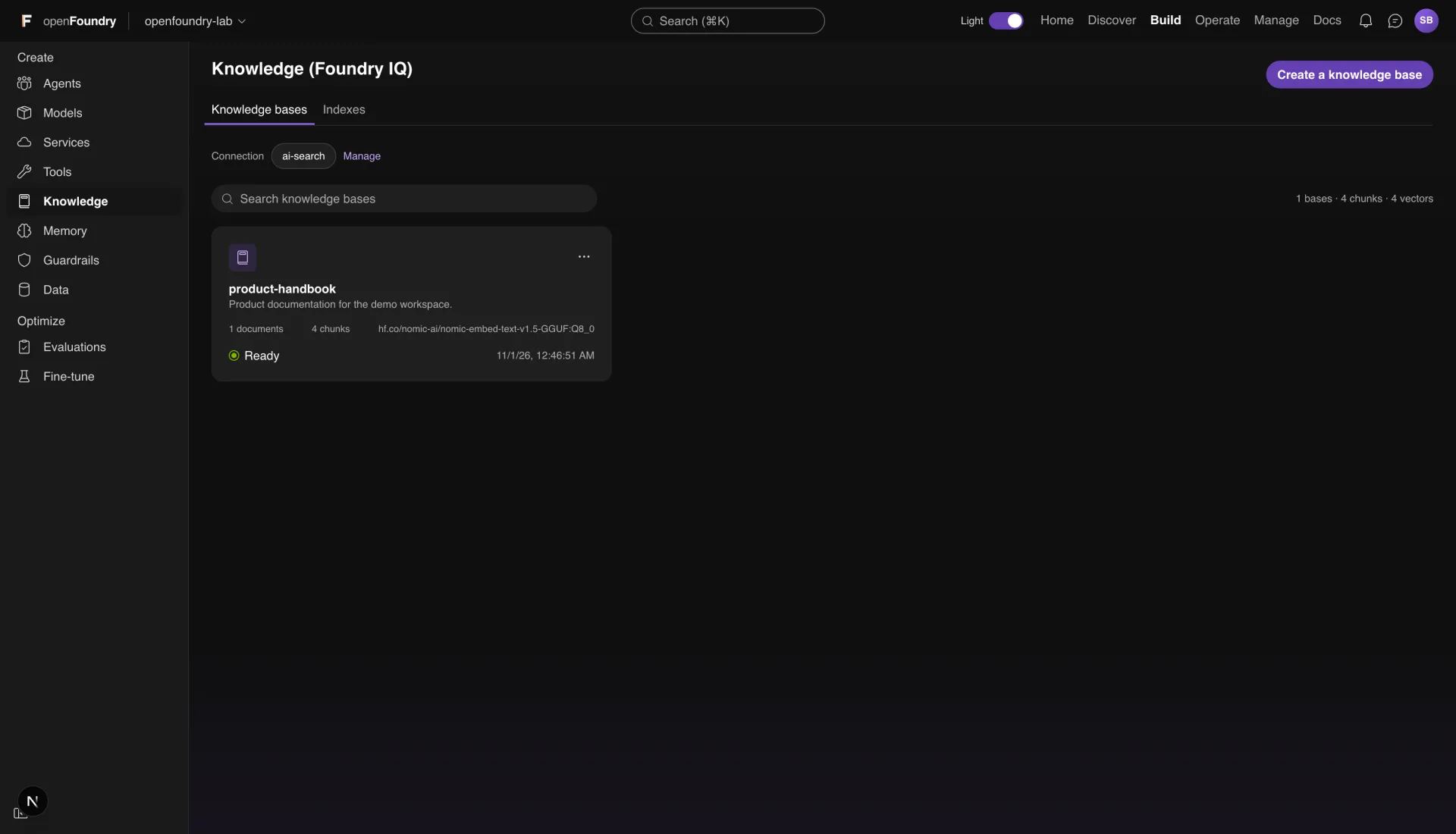
Home
The project at a glance. Endpoint, key, recent agents and deployments.1 of 5
Screenshot 1 of 5: Home
Deployments that behave like deployments
Foundry puts three ideas into one label. openFoundry keeps them apart, so the parts that can work on one computer really work.Serving mode
Standard and Developer meter tokens per minute and return 429 when the limit is reached. Provisioned reserves slots and queues the rest. Batch takes asynchronous jobs only. Instant answers from the local runtime.Scope
Global can use any online runtime node. Data Zone uses nodes tagged for a zone. Region pins one node. Device is this computer. Routing is real. The data residency guarantee is the only simulated part.Section
Serverless, Managed compute or Adapter. This is the Build > Models tab that lists the deployment.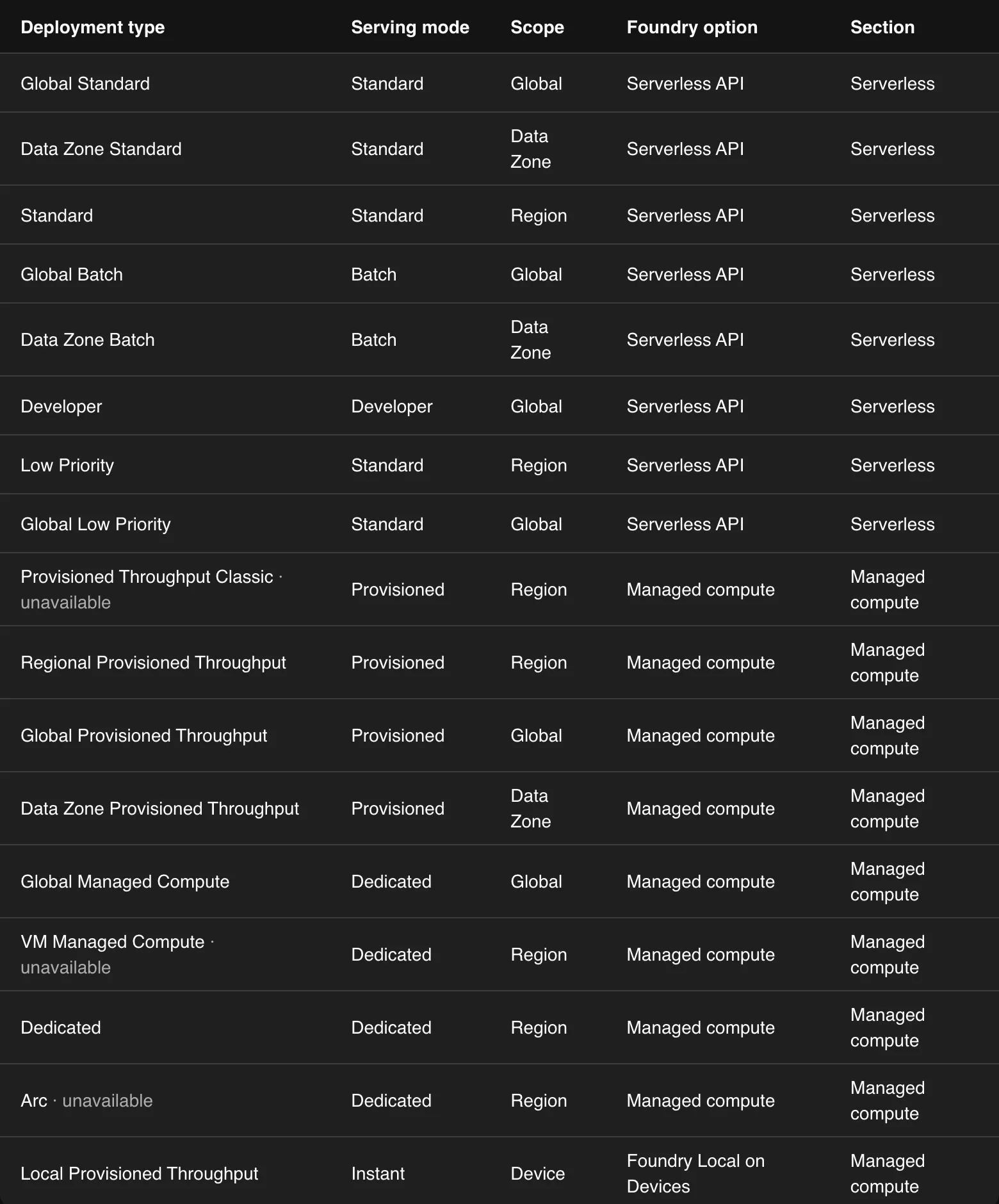 The same table is in the repository, with all 17 labels and what each one does on one computer.
Run the web version
The same workspace, in your browser, on localhost. You need Node.js 20.9 or later.1
Get the sourceClone the repository or download the ZIP.
2
InstallRun npm install in the project folder.
3
StartRun npm run dev and open http://localhost:3000.
Terminal
git clone https://github.com/Sharjeelbaig/openFoundry.git
cd openFoundry
npm install
npm run dev
Install the desktop app
A native window, a bundled Node runtime and the same workspace. Nothing else to install.1
2
Move it to ApplicationsOpen the DMG, then drag openFoundry to the Applications folder.
3
Open it the first timeThe build is ad-hoc signed and not notarized, so macOS asks for confirmation. Right-click the app, choose Open, then confirm. On macOS 15 and later, use System Settings, Privacy & Security, Open Anyway.
4
Check the downloadCompare the SHA-256 in the card with the file you downloaded.
Download details
Version0.1.0
PlatformmacOS, Apple silicon
MinimummacOS 13.5
Size57 MB
LicenseApache-2.0
SHA-256
ccffd1e4e61f22901a82e6fdb2e63bfa40bf7ffe85be2b96a238c34ab184caefQuestions
Short answers about the download, privacy and the runtimes.Yes. The app is Apache-2.0, there is no account, and there is no paid tier. The licenses of the models you download are separate.